

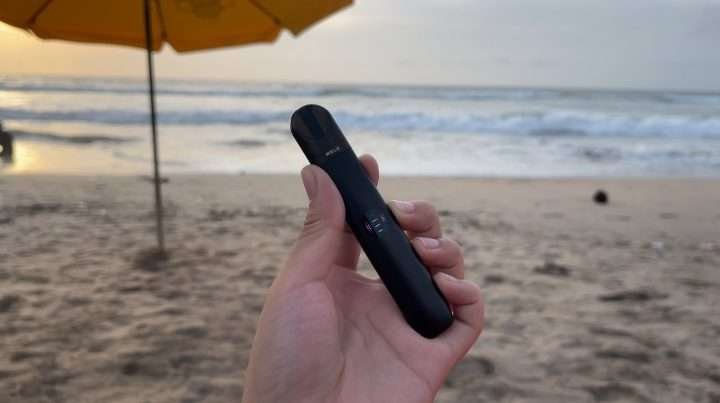
RELX Infinity 2 is an advanced pod system known for its sleek design, adjustable power modes, and smooth vaping experience. However, like any electronic device, it can develop issues such as not hitting, blinking lights, charging problems, weak vapor, or leaking pods.
Most of these problems are common and can be fixed easily with simple troubleshooting. This guide will walk you through all major issues and how to fix them step by step.
Understanding RELX Infinity 2
Before fixing anything, it’s important to understand how the device works.
The RELX Infinity 2 features:
- Draw-activated system (no button required)
- Rechargeable battery
- Replaceable pre-filled pods
- Adjustable power modes (Eco, Smooth, Boost)
Because of this design, most issues are related to:
- Battery and charging
- Pod connection
- Airflow and sensor
- User habits
1. Device Not Hitting (No Vapor)
This is one of the most common problems.
Possible Causes:
- Low battery
- Pod not inserted properly
- Dirty connection points
- Faulty pod
How to Fix:
Step 1: Charge the Device
- Plug in and charge for at least 10–20 minutes
- Low battery is a common cause of no vapor
Step 2: Remove and Reinsert Pod
- Take the pod out
- Insert it firmly until it fits correctly
Step 3: Clean the Contacts
- Use a dry cotton swab
- Clean inside the device
Dirty terminals can block connection between pod and battery
Step 4: Try Another Pod
- If a new pod works, the old one is defective
2. Device Not Charging
If your RELX Infinity 2 is not charging, it will stop working completely.
Possible Causes:
- Dirty charging port
- Faulty cable
- Battery damage
How to Fix:
Clean Charging Port
- Use a dry brush or cotton swab
- Remove dust and debris
Try Another Charger
- Switch cable or adapter
- Use a reliable power source
Check Charging Indicator
- LED should light up while charging
Charging issues are often caused by dirt or cable problems
If no light appears at all, the battery may be damaged.
3. Blinking Red Light Problem
A blinking red light is a warning signal.
What It Means:
- Low battery
- Pod connection issue
- Overuse (Smart Pace Alert)
How to Fix:
Charge the Device
- Most blinking issues are due to low battery
Check Pod Connection
- Remove and reinsert pod
Reduce Puff Frequency
- Avoid rapid continuous puffs
4. Weak Vapor or Low Performance
If vapor feels weak, the issue may be related to battery or usage.
Possible Causes:
- Low battery
- Old pod
- Incorrect power mode
- Fast puffing
How to Fix:
Charge Fully
- Battery affects vapor strength
Switch Power Mode
- Tap device 3 times to change mode
- Boost mode gives stronger vapor
Use a New Pod
- Old pods produce less vapor
Take Slow Puffs
- Fast puffing reduces vapor output
5. Burnt Taste or Bad Flavor
A burnt taste is one of the most unpleasant issues.
Possible Causes:
- Empty or nearly empty pod
- Chain vaping
- Dry coil
How to Fix:
Stop Using Immediately
- Burnt coils cannot be repaired
Replace the Pod
- Use a fresh pod
Avoid Chain Vaping
- Give time between puffs
Burnt taste usually happens when the wick is dry or overused
6. Pod Leaking
Leaking pods can damage your device and reduce performance.
Possible Causes:
- Temperature changes
- Damaged pod
- Improper storage
How to Fix:
Remove and Clean
- Wipe inside the device
Store Upright
- Prevents leakage
Avoid Heat
- Heat expands liquid and causes leaks
Replace Damaged Pod
- Cracked pods cannot be fixed
7. Device Not Detecting Pod
Sometimes the device doesn’t recognize the pod.
Possible Causes:
- Dirty connectors
- Misalignment
- Faulty pod
How to Fix:
Clean Contact Points
- Use dry cotton swab
Reinsert Pod Properly
- Ensure it clicks into place
Try Another Pod
- Confirms if the issue is the pod
8. Adjustable Power Mode Not Working
RELX Infinity 2 has adjustable power modes, but sometimes they don’t change.
Possible Causes:
- Pod not inserted fully
- Low battery
- Sensor issue
How to Fix:
Insert Pod Correctly
- Device needs pod to activate mode change
Tap Correctly
- Tap 3 times quickly
Charge Device
- Low battery may disable features
Clean Sensor Area
- Dirt can affect detection
9. Gurgling or Spitting Sound
This happens when excess liquid builds up.
Possible Causes:
- Condensation
- Over-saturated coil
How to Fix:
Remove Pod
- Tap gently to remove excess liquid
Clean Mouthpiece
- Use tissue or cotton
Take Gentle Puffs
- Strong pulls cause flooding
10. Device Auto-Firing or Not Stopping
If the device activates on its own, it can be risky.
Possible Causes:
- Liquid inside sensor
- Internal malfunction
How to Fix:
Clean Device Interior
- Remove pod and wipe
Let It Dry
- Leave unused for a few hours
Stop Using If Persistent
- This may be a serious issue
Cleaning and Maintenance Tips
Regular maintenance prevents most problems.
How to Maintain:
- Clean contacts weekly
- Wipe charging port
- Keep device dry
Avoid:
- Water inside device
- Using sharp objects
- Opening the device
Proper Usage Tips
Using the device correctly improves performance.
Best Practices:
- Take slow, steady puffs
- Avoid chain vaping
- Charge regularly
- Use original pods only
Storage Guidelines
Storage affects performance.
Tips:
- Keep in cool, dry place
- Avoid direct sunlight
- Store upright
Temperature changes can cause leaks and performance issues


